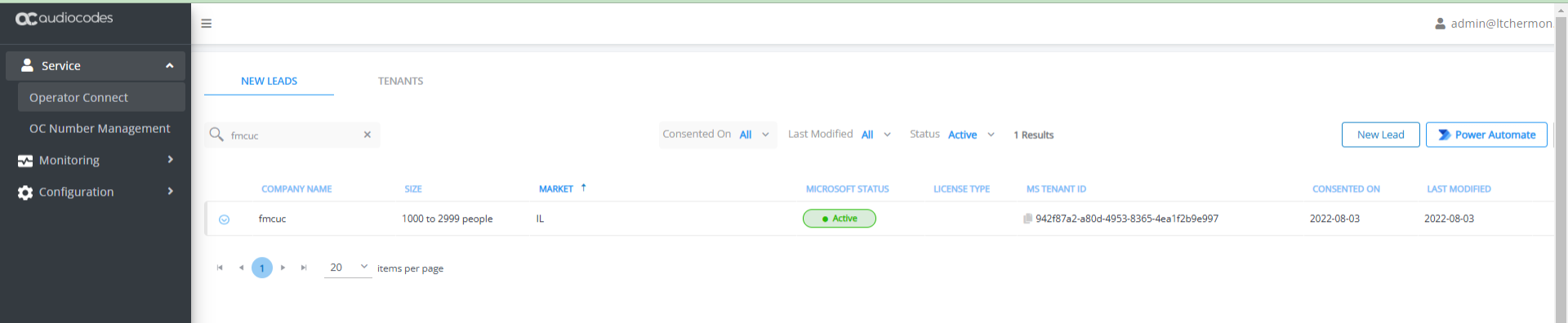
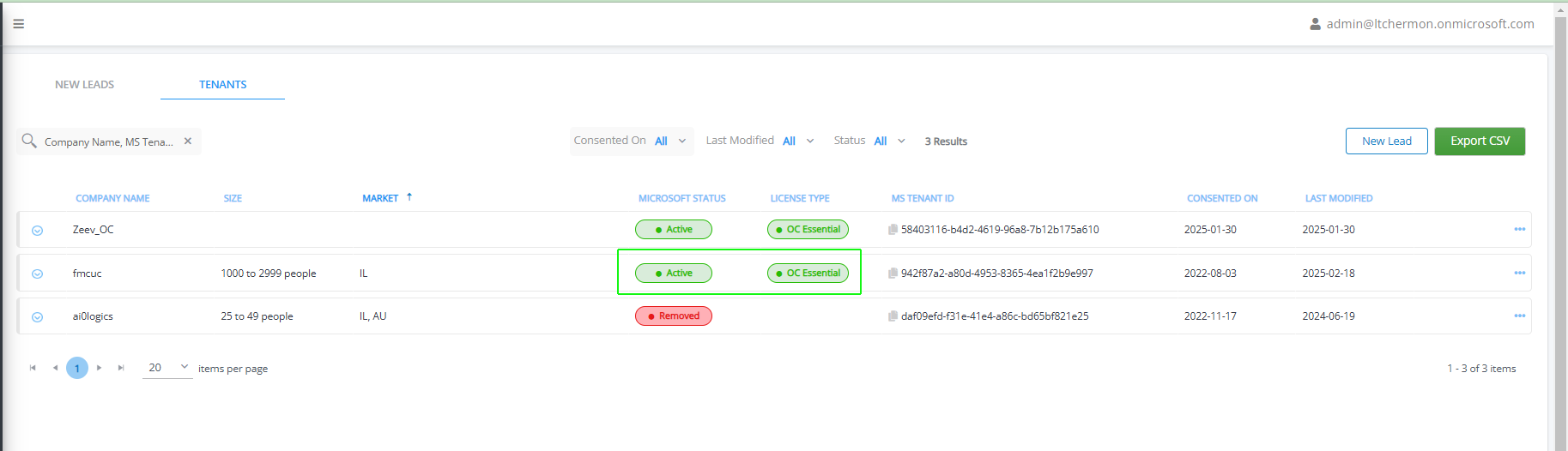
Assigning Lead to Channel Reseller (Optional)
You can assign a lead to a channel reseller. When the channel admin logs into Live Platform they see only those leads assigned to their channel. Once the lead is assigned to a channel, and the lead is applied a customer license, numbers that are uploaded to the customer will appear on the Channel's OC Number Management page.
|
1.
|
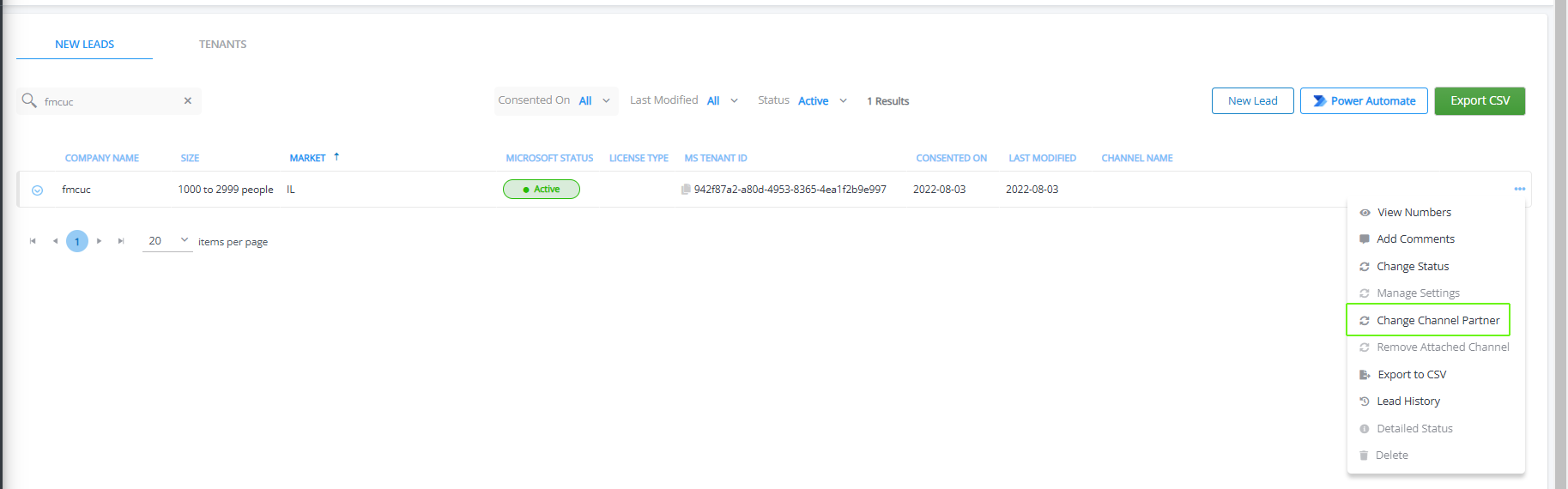
Select the relevant Operator Connect lead, click…., and then choose Change Channel Partner. |
|
2.
|
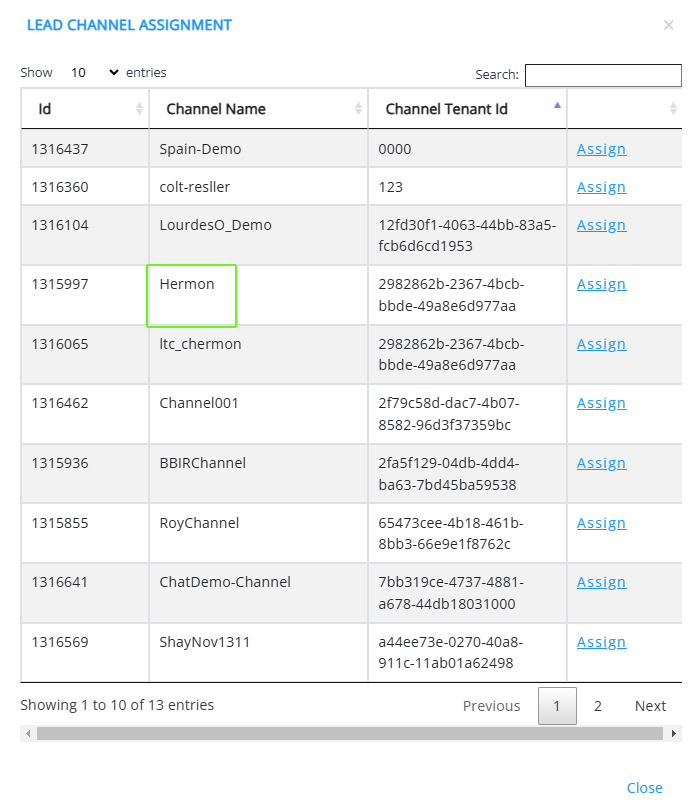
Click Assign adjacent to the channel that you wish to assign. The channel is assigned to the lead. |

|
3.
|
The processing time for the synchronization operation with the Live Platform server and Microsoft platform depends on the server load. Run the ' peering.sync-ovoc-channels-job' task to refresh the Channel data (see Synchronizing Operator Connect Jobs). |
|
4.
|
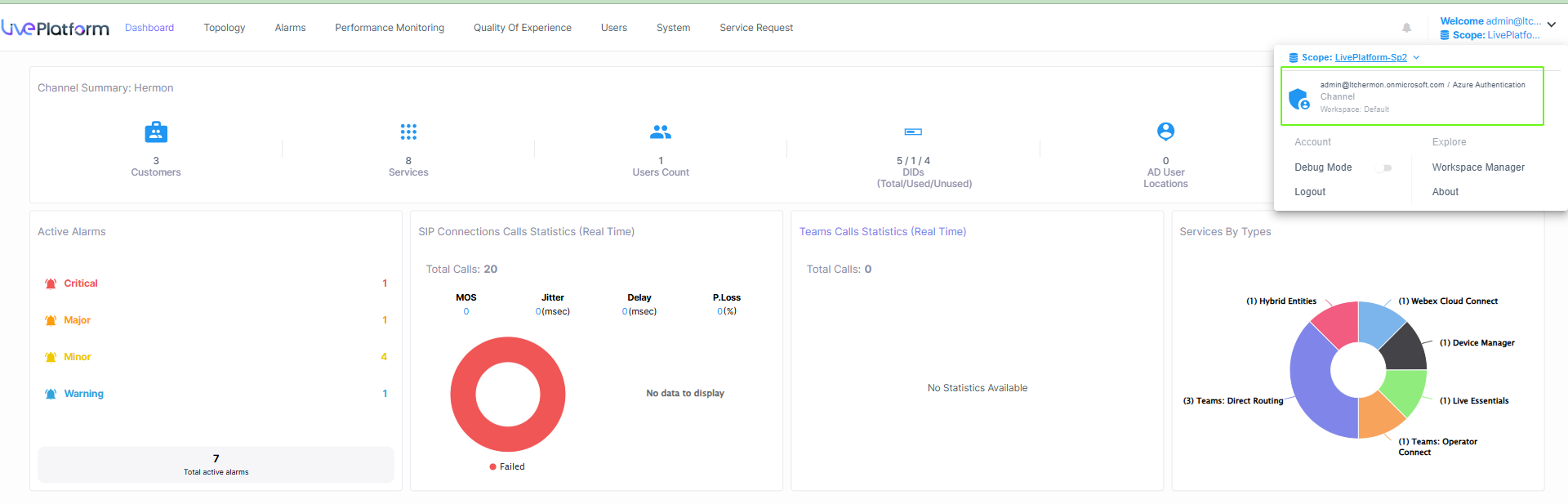
Login as the Channel Admin to the Live Platform portal. |
|
5.
|
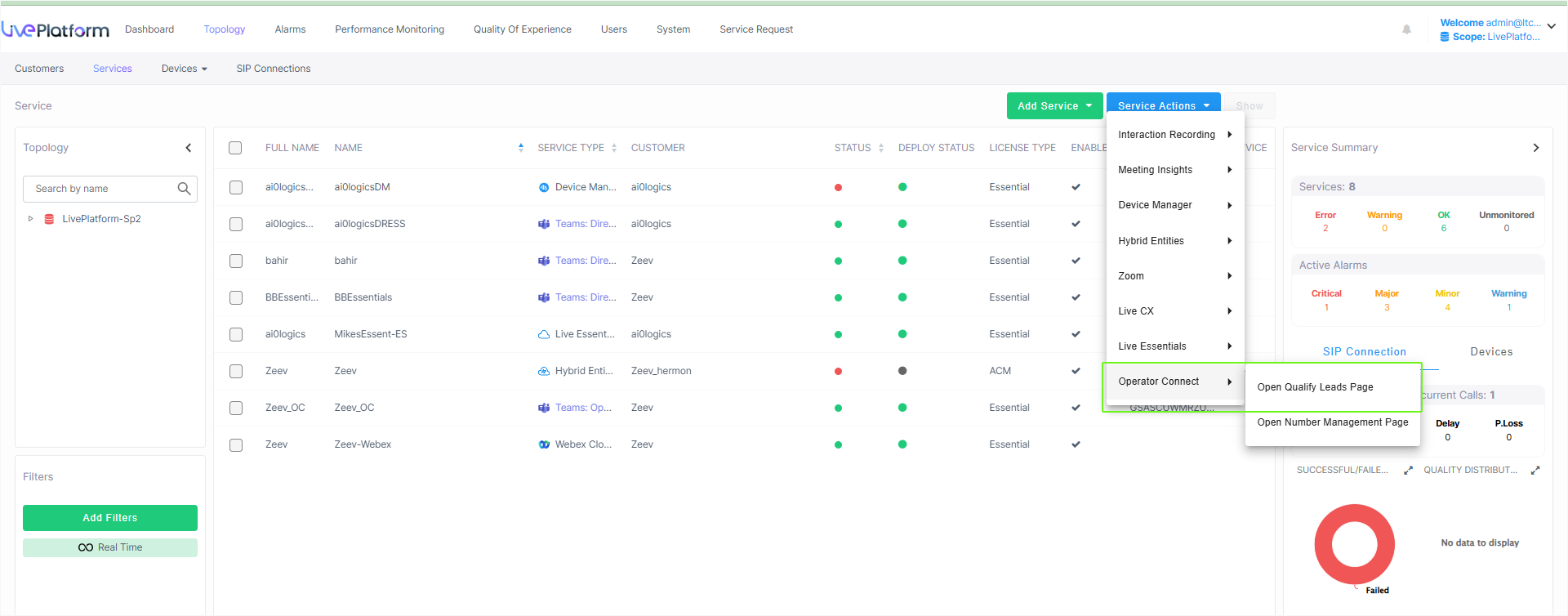
From the Customer Actions drop-down, select Operator Connect > Open Qualify Leads Page. |
|
6.
|
Leads assigned to the channel are displayed. |